There is a quiet assumption that runs through most conversations about AI image generation: that the goal is to find the best model and stick with it. Reviewers compare benchmark scores, creators share their favorite tools, and platforms compete on who has the most advanced single engine. But this assumption collapses the moment you actually try to produce professional work. The best model for a photorealistic product shot is rarely the best model for an anime-style character portrait. The fastest model for concept exploration is almost never the model you want for final delivery. And the model that handles text well might struggle with skin texture.
I have spent the better part of two years testing AI image tools across commercial projects, and the single biggest productivity gain I have found is not a better model—it is a better way of accessing multiple models. That is what drew me to Image to Image, a platform that aggregates several leading models into a single workspace. The premise was simple: stop forcing creators to choose one model for everything and let them pick the right tool for each task.
The Hidden Cost of Model Loyalty
Sticking with a single AI model feels efficient. You learn its quirks, memorize its prompt patterns, and develop a rhythm. But this apparent efficiency masks a real cost: you are adapting your creative vision to the model’s capabilities rather than the other way around.
Over time, this constraint shapes not just your workflow but your creative decisions. You stop attempting certain types of images because you know your model handles them poorly. You avoid complex compositions because they require too many generation rounds. You settle for “good enough” because the alternative is switching to a different platform and re-entering your prompt from scratch. The friction of context-switching becomes an invisible tax on your creative ambition.
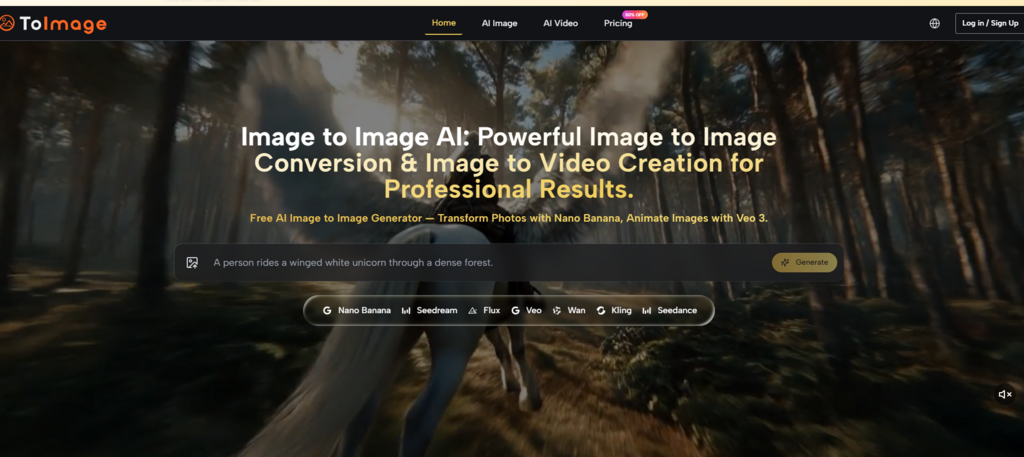
Image to Image addresses this friction directly. By housing multiple models under a single prompt panel, it eliminates the cost of switching. You do not have to re-enter your prompt, re-upload your source image, or learn a new interface. The only thing that changes is the model you select, and that selection becomes a creative choice rather than a technical hurdle.
The Workflow That Makes Multi-Model Work Practical
The platform’s operational structure is designed to minimize friction and maximize creative flexibility.
Step One: Upload Your Source
You begin by uploading an image. This can be a single photo or up to four reference images for style consistency and character continuity. The multi-image support is particularly useful for brand work and character-driven projects, where maintaining visual coherence across generations is essential.
Step Two: Write Your Instruction
Next, you describe the transformation you want. The prompt panel keeps your input visible and editable across sessions and model switches, so you are never re-explaining yourself. This continuity is more important than it sounds—when you are iterating on a concept, the ability to tweak rather than retype saves real cognitive energy.
Step Three: Pick a Model and Generate
Finally, you choose a model and generate. The platform offers a range of options: Nano Banana for hyper-realistic image-to-image transformation, Seedream for fast iteration, Flux for context-aware editing, Grok for experimental transformations, and Veo 3 for turning still images into video with synchronized audio. You can run the same prompt through multiple models simultaneously and compare results side by side.
Putting the Multi-Model Approach to the Test
I ran three different creative tasks through the platform to see how the model selection logic held up in practice.

Task One: Product Visualization
The first task was turning a simple product photo into a lifestyle image suitable for an e-commerce landing page. With Nano Banana, the platform preserved the product’s shape, text, and proportions while replacing the background and adding realistic environmental lighting. The results were not perfect every time—some generations introduced subtle distortions on fine details—but after a few rounds of prompt refinement, the output was usable for client presentation.
Task Two: Style Exploration
The second task involved taking a portrait and pushing it through multiple stylistic reinterpretations. Seedream generated results in seconds, making it ideal for rapid experimentation. Nano Banana took longer but delivered more detailed, coherent results that preserved facial features and expression with greater accuracy. Having both options within the same interface meant I could explore broadly and then refine specifically, all without leaving the workspace.
Task Three: Image to Video
The third task pushed beyond static images. Using Veo 3, I uploaded a still image and generated a short video clip. The model produced motion that started from the first frame and extended across the video duration, with synchronized audio included. The results varied depending on the complexity of the scene, but the ability to generate video from the same prompt panel, using the same workflow, was a meaningful efficiency gain.
A Clearer Picture: How the Platform Compares
Here is a straightforward comparison of how the platform performs against other approaches.
| Dimension | Image to Image | Single-Model Platforms | Generalist AI Suites |
| Creative Flexibility | High; match model to task | Low; one model for everything | Moderate; features often shallow |
| Workflow Efficiency | High; one interface for all models | Moderate; consistent within one model | Low; different tools require different interfaces |
| Learning Investment | Moderate; need to understand model strengths | Low; one model to learn | Varies; often requires learning multiple subsystems |
| Output Quality Range | Broad; access to multiple specialized models | Narrow; limited to one model’s strengths | Inconsistent; quality varies across features |
| Best Use Case | Professional creators with diverse visual needs | Users with a single, repeatable task | Teams needing broad capability coverage |
The Platform’s Strengths and Limitations
The platform’s greatest strength is its aggregation model. By bringing multiple premium engines into a single workspace, it removes the friction that typically prevents creators from using the right tool for each task. The calm, ad-free interface reinforces this professional orientation—no flashing upgrade banners, no credit countdown timers, no non-essential interruptions.
The limitations are equally clear. The quality of output depends heavily on the quality of your prompt and source image. Complex scenes with multiple subjects, fine text, or intricate details may require multiple generations to get right. The results are not guaranteed to be consistent every time, and some models handle certain tasks better than others. Video generation, while impressive in concept, is not always cinematic out of the gate—shorter clips with simple motion tend to work better than longer sequences with complex physics or multiple moving subjects.
What This Means for Your Workflow
From a practical user perspective, Image to Image AI is best understood as a creative workspace rather than a single-purpose tool. It does not ask you to commit to one model or one style. Instead, it gives you access to a range of specialized engines and trusts you to make the right choice for each project.
This approach requires more initial learning than a single-model platform. You need to understand what each model does well and where it falls short. But the payoff is significant: the ability to match the right tool to each task, without the friction of context-switching, without re-entering prompts, without learning new interfaces. For creators who produce a high volume of visual work across different formats, that payoff is not just convenient—it is transformative.