A lot of people approach AI music tools as if they should deliver a finished masterpiece immediately. That expectation usually leads to disappointment. The more useful mindset is different: treat the tool as a fast environment for discovering what your song could become. In that role, AI Music Generator feels less like an endpoint and more like a creative laboratory.
This matters because song ideas are often unclear at the beginning. You may know the emotional target but not the genre. You may have lyrics but no arrangement direction. You may need background music for a video but not know whether vocals will distract from the message. ToMusic AI is most effective when it helps answer those questions quickly.
Song Discovery Needs Speed More Than Perfection
In early songwriting, perfection is usually the wrong metric. What you need first is contrast: one version that feels intimate, one that feels energetic, one that leans cinematic, and one that stays minimal. Once you hear contrast, your decisions become easier.
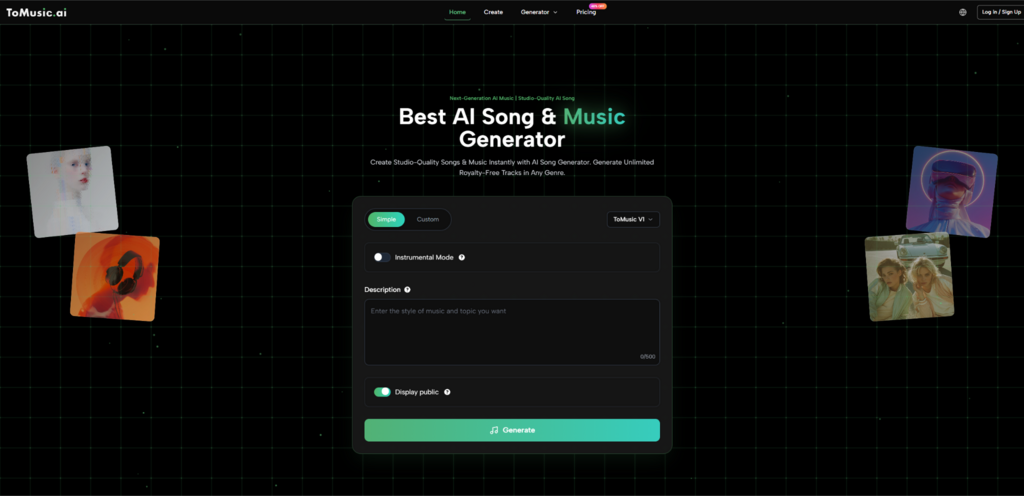
ToMusic AI supports that kind of contrast-driven work through a workflow that starts simple and can become more controlled. The visible process of selecting mode, choosing a model, entering a prompt or lyrics, and generating a track helps users move through options without building everything manually.
Why Fast Variations Improve Creative Confidence
Creative confidence often comes from comparison, not certainty. If you generate one track and dislike it, you may think the concept failed. If you generate three variations and one starts to feel right, you realize the concept may be good and only the instructions needed refinement.
That is why iteration speed has strategic value. It does not just save time. It protects ideas from being abandoned too early.
How ToMusic AI Supports Different Creative Starting Points
One strength of the platform is that it does not force a single starting method. Some users start with a text description, while others begin with lyrics they already wrote. That difference changes the type of support they need.
Text Prompt Users Need Emotional Translation
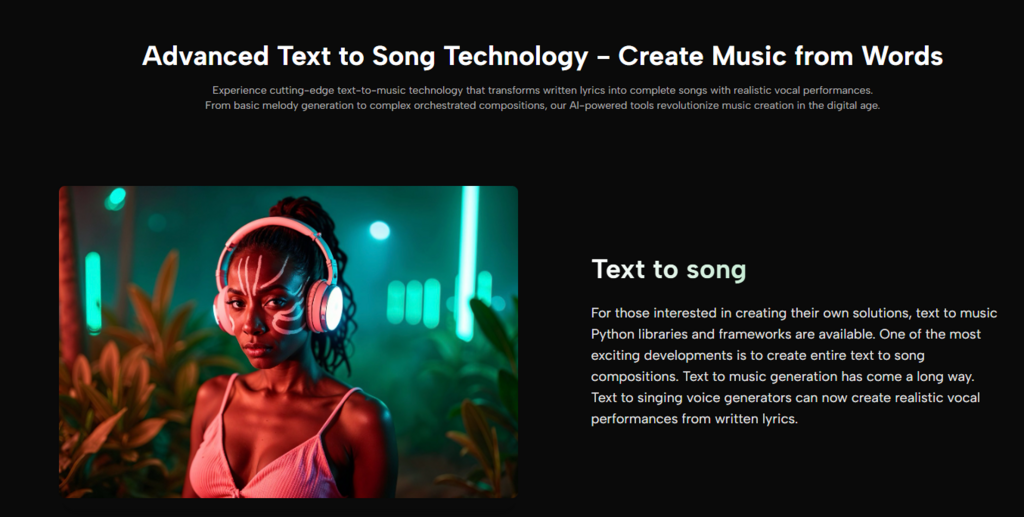
When you start from a text prompt, the tool is translating intent into sound. Your wording becomes a design specification. In my experience, prompts perform better when they describe the track’s purpose, not only its genre.
For example, “uplifting pop” is less informative than “uplifting pop for a product launch video, bright synths, steady medium tempo, no heavy drop.” The second prompt gives the model functional context and sonic direction.
Lyric Users Need Structural Clarity
When users start from lyrics, structure matters more. ToMusic AI references support for custom lyrics and structured tags, which can help the system interpret sections more reliably. This is especially useful for users who want clearer verse-chorus contrast instead of a continuous melodic flow.
A practical advantage of Text to Music AI in this scenario is that it lets lyric-first creators hear how emotional emphasis changes across different model versions or prompt refinements without rebuilding the song from scratch in a traditional production setup.
Model Versions Encourage Better Creative Matching
ToMusic AI presents multiple model versions (V1, V2, V3, V4), and that is more than a feature list item. It encourages better user behavior. Instead of assuming every generation task should be handled the same way, users can match the task to the model’s apparent strengths such as speed, vocal quality, harmonic richness, or longer compositions.
Even if you do not memorize each version’s positioning, the existence of choice changes your workflow. It pushes you to ask: “Am I prototyping, or am I refining?”
A Four-Step Official-Flow Routine That Stays Practical
The platform’s official flow can be expressed in four clear steps without adding extra assumptions.
Step One Decide Between Simple And Custom Modes
Use Simple when you need quick drafts and broad direction. Use Custom when lyrics and control matter more than speed.
Step Two Choose A Model For Your Goal
Select a model version based on what you care about most in that moment: faster output, stronger vocals, richer arrangement feel, or longer composition capability.
Step Three Provide Prompt Or Lyrics With Specific Intent
Input a description or custom lyrics. If possible, define mood, tempo feel, instruments, and whether you want vocals or instrumental output.
Step Four Generate Listen Compare And Adjust
Generate the result, compare it against your intended use, and revise the prompt or mode if needed. Re-generation is part of the process, not a sign of failure.
Where ToMusic AI Creates The Most Practical Value
The platform is especially useful for creators who need decisions quickly rather than final audio perfection immediately. That includes content creators, marketers, educators, and indie developers who often work under time pressure.
Comparison Table For Discovery-Oriented Use Cases
| Creator Situation | Traditional Friction | ToMusic AI Advantage | What You Still Need To Do |
| Testing video music moods | Manual editing and sourcing | Generate multiple directions quickly | Pick and refine the best fit |
| Lyric idea validation | Need composition before evaluation | Turn lyrics into audible drafts faster | Rewrite weak lyric phrasing |
| Instrumental background needs | Time-consuming arrangement setup | Prompt-based instrumental generation | Check pacing against visuals |
| Rapid concept exploration | Slow loop creation and arrangement | Faster compare-and-decide workflow | Maintain prompt discipline |
What Users Should Not Expect On First Attempt
A realistic review should mention the limits. In my observation, AI music generation quality is highly dependent on prompt clarity and the user’s willingness to iterate. You may need several generations before the vocal phrasing, emotional tone, or structure feels right.
Signals That A Regeneration Is Worth Doing
Instead of rejecting a track immediately, check whether the miss is fixable:
- Good mood, wrong tempo
- Good arrangement, weak vocal feel
- Good sections, weak transitions
- Good concept, unclear prompt language
If the core idea is present, regeneration or prompt edits are usually more effective than starting over with a completely different concept.
How To Keep The Workflow Credible And Useful
The tool becomes more trustworthy when you use it with clear evaluation criteria. Ask simple questions:
- Does this support my project goal?
- Is the emotional tone consistent?
- Are vocals helping or distracting?
- Is the pace appropriate for the content?
That approach keeps the process grounded and reduces the temptation to overhype any single output.
Why This Matters Beyond Music Production Experts
You do not need to be a trained producer to benefit from a system like ToMusic AI. The real value is not that it instantly makes everyone a musician. The value is that it lets more people test creative ideas in audio form before committing large amounts of time or budget.
For many modern creators, that is enough to make a meaningful difference. ToMusic AI shortens the distance between “I think this could work” and “Now I can hear whether it actually works.” In practice, that is where better songs, better content choices, and better creative decisions often begin.