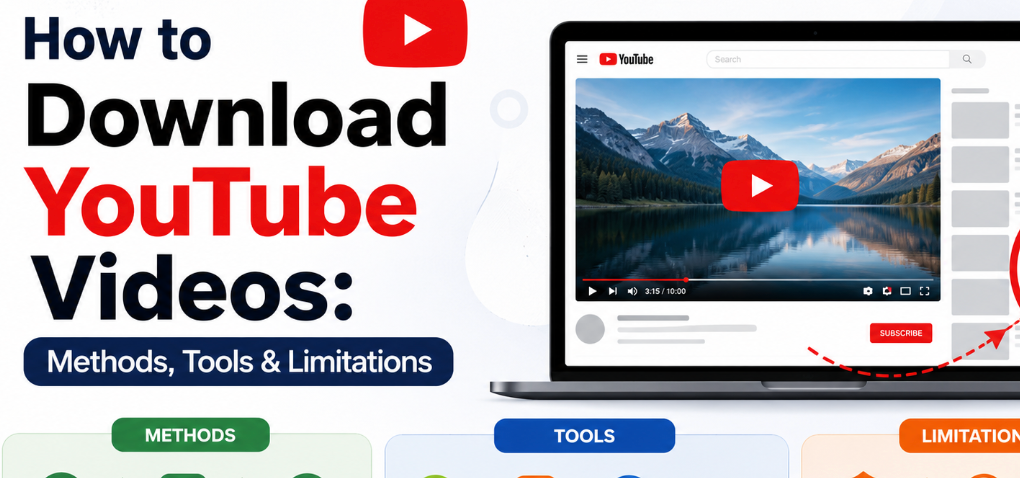
YouTube has become the go-to platform for video content across the globe, offering everything from tutorials and entertainment to music videos and live streams. With millions of videos uploaded daily, many users often wish to save content for offline use. While YouTube provides some official options for offline viewing, these are limited, which has led to the rise of third-party methods and tools for downloading videos. This article explores various approaches for how to download YouTube videos, the advantages and drawbacks of each method, and the tools that make it possible.
1. Does YouTube Offer an Official Video Download Feature?
YouTube, owned by Google, is strict about its content usage policies. For desktop users, there is no official built-in option to download YouTube videos directly to a computer for offline storage. On mobile devices, YouTube Premium members can access a limited offline viewing feature, but it comes with significant restrictions:
- Locked Within the App: Videos downloaded via YouTube Premium remain within the YouTube app and cannot be accessed through external media players.
- No File Transfer: The downloaded content cannot be moved to other devices or shared with friends.
- Internet Verification: YouTube periodically requires an active internet connection to verify that the subscription is still valid.
Because of these limitations, many users who want permanent, transferable, or higher-quality video files often turn to third-party software solutions or screen recording methods to download from YouTube more freely.
2. Popular Ways to Download YouTube Videos
There are several approaches to saving YouTube videos for offline use. Each method comes with its own advantages and limitations, depending on your needs, device, and technical comfort level.
2.1 Online YouTube Download Services
Web-based downloaders are among the easiest ways to download video from YouTube. These tools typically allow you to paste a YouTube link, select a format or resolution, and retrieve the video instantly.
Advantages:
- Beginner-Friendly: No technical knowledge required; just copy and paste a link.
- No Installation: Works entirely in a web browser, eliminating the need to install software.
Limitations:
- Heavy Advertising: Many websites are laden with pop-ups or misleading ads, which can be frustrating and sometimes risky.
- Limited Quality Options: Not all platforms support HD or 4K downloads.
- Unreliable Performance: Some online services may fail to process certain videos, especially those with copyright protection or live streams.
Despite these drawbacks, online tools remain a convenient option for quick, casual downloads.
2.2 Desktop YouTube Downloader Programs
Desktop applications offer a more robust solution for YouTube video download, providing stability, multiple format options, and higher-quality output. These programs are installed on your computer and handle downloads faster and more reliably than online services.
A popular example is CleverGet Video Downloader, a tool designed to support multiple resolutions and formats. This program can handle HD and 4K videos, allowing users to customize formats based on their storage needs or device compatibility.
Benefits:
- Higher Quality Downloads: HD, 4K, and sometimes 8K options are available.
- Format Flexibility: Download videos in MP4, MKV, or audio-only formats like MP3.
- Stable Performance: Desktop apps are less affected by ads and server issues, ensuring a consistent download experience.
For users who want permanent access to YouTube videos, desktop software often represents the most practical and efficient choice.
2.3 Mobile Apps for Downloading YouTube Videos
If you primarily consume content on a smartphone or tablet, certain mobile applications allow you to download YouTube videos directly onto your device. These apps are convenient for offline viewing while traveling or in areas with limited internet connectivity.
Best Suited For:
- Users who watch content on-the-go
- Quick downloads for later playback without internet access
Potential Drawbacks:
- Availability Issues: Some apps may not be accessible through official app stores, especially on iOS.
- Safety Concerns: Third-party apps can pose privacy or security risks, including malware.
- Limited Features: Mobile apps often provide fewer format and quality options compared to desktop software.
Despite these challenges, a carefully chosen mobile app can be a practical tool for casual offline viewing.
2.4 Screen Recording as an Alternative Method
When direct downloads are not feasible, screen recording can be an effective workaround. Unlike traditional downloads, screen recording captures whatever plays on your device’s screen in real-time.
Example Tool: CleverGet Recorder is a screen recording solution capable of capturing streaming videos, including live broadcasts or content protected against direct downloading.
Advantages:
- Universal Compatibility: Works with nearly any video or live stream.
- Flexible: Can record custom portions of a video or capture specific screen areas.
Limitations:
- Real-Time Requirement: Recording takes as long as the video itself.
- Variable Quality: Output may not match the original resolution or bitrate of a direct download.
Screen recording is particularly useful for live streams or restricted videos that cannot be downloaded by conventional means.
3. Frequently Asked Questions (FAQs)
3.1 Does YouTube Premium let you keep videos permanently?
No. YouTube Premium allows temporary offline access, but videos remain locked within the app and require ongoing subscription verification.
3.2 Why can’t I find downloaded YouTube videos in my device storage?
Videos downloaded via YouTube Premium or some mobile apps are stored in encrypted files that are only accessible within the app, preventing transfer to other devices.
3.3 Are online YouTube download websites safe to use?
Safety varies. Many online downloaders are safe, but some may include intrusive ads, malware, or phishing attempts. Users should research and choose trusted services carefully.
3.4 Why do some online YouTube downloaders stop working?
YouTube frequently updates its platform to prevent unauthorized downloading. Online services may temporarily fail when these changes occur, making desktop software or recording tools more reliable.
3.5 What are the advantages of desktop YouTube downloader software?
Desktop programs offer better stability, higher quality, more format options, and a more consistent download experience than online services or mobile apps. Tools like CleverGet Video Downloader also handle large-scale downloads efficiently.
4. Final Thoughts
While YouTube Premium provides a convenient way to download YouTube videos for offline viewing, the feature is limited to in-app playback and requires a subscription. Users who need permanent access, higher resolutions, or transferable files may find desktop software and screen recording tools more practical.
CleverGet Video Downloader exemplifies modern desktop download solutions with robust support for multiple formats and resolutions, while CleverGet Recorder offers flexible screen recording options for videos that cannot be directly downloaded.
Regardless of the method chosen, it’s important to use these tools responsibly, respecting YouTube’s policies and copyright guidelines. With the right approach, anyone can enjoy offline content while staying within legal and ethical boundaries, making the viewing experience more flexible and convenient than ever before.