
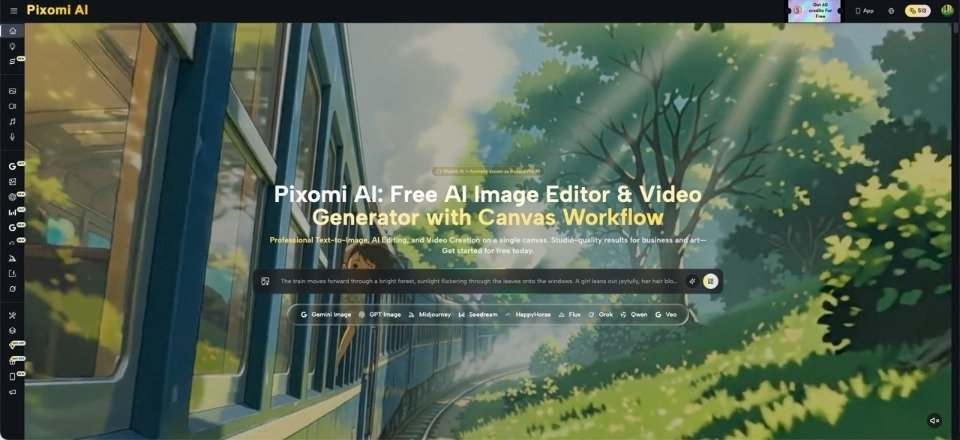
A red-carpet photo, backstage snapshot, trailer still, or festival image can travel through social media for days. The problem is that posting the same frame again and again makes a feed feel stale, while aggressive editing can make the original moment look fake. Entertainment publishers, fan pages, and culture creators therefore face a practical middle ground: how do you get more mileage from strong visual material without turning it into something readers no longer trust? The interesting part is not generating a random celebrity-style picture from scratch. It is learning how to reshape an existing visual for several editorial uses while keeping the subject, event, and mood recognizable. Banana Pro AI is useful in this context because image editing and video creation can sit inside the same broader creative process. Done well, one solid image can support a story launch, a social teaser, a follow-up post, and a short motion piece without looking like four copies of the same asset.
Think in Editorial Moments, Not Just Image Sizes
Repurposing is often treated as a resizing task: make one square version, one vertical version, and one horizontal version. That solves dimensions but not repetition. A better question is what each post is supposed to say.
An entertainment article announcing a film premiere may use a wide hero image that establishes the scene. A later Instagram post might focus on a costume detail. A short vertical teaser may emphasize movement and atmosphere rather than information. Even when all three start from the same source, they have different editorial jobs.
For example, a festival photo showing an actor walking past photographers can become a story header with the full setting, a tighter social crop centered on the expression, and a brief animated version with subtle camera movement. The source stays familiar, but the audience does not see the exact same presentation three times.
Three Ways to Refresh a Strong Entertainment Visual
The safest edits are usually the ones that change presentation more than identity. That matters when the image contains a recognizable person, outfit, venue, or event.
1. Reframe the Scene Around a Different Detail
A wide shot often contains several possible stories. One crop may emphasize the person; another may highlight the fashion; a third may show the crowd or location. Before generating anything new, test whether reframing already gives you the variation you need.
If the article is about a premiere look, the outfit deserves space. If the follow-up is about the event atmosphere, keep more of the background. The content feels new because the editorial focus changes, not because the subject has been artificially redesigned.
2. Clean Up Distractions Without Changing the Evidence
Selective cleanup can make a social graphic easier to read, but it should not erase details that are important to the story.
If a sponsor wall identifies the event, leave it intact. If a sign contains relevant wording, verify that the text remains accurate after editing. Removing a stray object near the edge is very different from changing the venue or adding people who were not there.
3. Turn a Still Into a Short Motion Teaser
A still image can become a short video element when the movement is restrained. A gentle push-in, slight camera drift, or controlled background motion can help a teaser feel less static without pretending there was original footage.
Use Visual Variation to Support the Story Angle
The most useful edit is the one that makes the article angle clearer. If the story is about fashion, the visual should help readers see the look. If it is about an awards moment, the image should preserve the stage and context. If it is about a surprise reunion, expressions and body language matter more than decorative styling.
With Banana Pro AI, a creator can work from a source image and describe a targeted edit rather than rebuilding the whole frame. That makes it easier to ask for a cleaner background, a different presentation, or a version suited to another format while keeping the original image as the reference point.
“Make this more glamorous” is vague and may change too much. “Reduce distracting background clutter while keeping the person, outfit, event wall, and lighting direction recognizable” gives the tool a clearer boundary. Good prompts are less about poetic language and more about specifying what must stay.
Avoid the Edits That Make Entertainment Content Feel Cheap
Over-smoothed skin, dramatic neon lighting, exaggerated lens flare, perfect symmetry, and invented luxury settings quickly create a synthetic look.
Another common mistake is changing too many things at once. If you alter the clothing, background, expression, lighting, and camera angle in one pass, the result may stop functioning as an edited version of the source. It becomes a new scene.
If another change is genuinely needed, do it in a second step. This keeps you closer to the original and makes errors easier to spot.
A useful test is simple: if a reader saw the source and the edited version side by side, would the second image still feel like a fair presentation of the same moment?
Create a Small Content Sequence Instead of Random Posts
Start with the main story image on publication day. Follow with a detail-focused social post later. Then use a short motion version for a final reminder or discussion prompt.
The sequence can be built around one event without repeating the same message. For a music awards story, the first post may introduce the appearance, the second may focus on styling, and the third may ask readers about the performance or reaction. For a streaming release, the first visual can set the scene, the second can highlight a character detail, and the motion teaser can point people toward a review.
You are not filling a feed for the sake of activity. You are using one piece of material to support several distinct editorial beats.
Keep Human Review in the Loop
Recognizable people require careful checking. AI edits can introduce small changes to facial features, jewelry, clothing details, logos, hands, or text. Those mistakes are easy to miss when you are focused on overall style.
Before publishing, zoom in. Compare the face with the source. Check brand marks, event signage, and accessories. If the story discusses a specific outfit or product, make sure the edit did not alter the very detail readers are supposed to see.
For video versions, watch the entire clip rather than judging the first frame. Look for sudden face changes, warped backgrounds, or motion that does not fit the scene. A six-second teaser can still contain one distracting moment that makes the whole post feel artificial.
Conclusion
Entertainment content moves quickly, but speed does not require making every visual louder or more artificial. The strongest approach is often to begin with one authentic image and create a few focused versions that serve different editorial purposes. Reframe for a new detail, remove only genuine distractions, add restrained motion when it helps, and keep the story angle in control of every edit.
That gives publishers and social creators more material without losing the recognizable moment that made the image interesting in the first place. It also helps a feed feel varied without demanding a brand-new photoshoot or illustration for every post. The next time you have one strong entertainment image, plan three different editorial uses before you touch the file. That decision alone will usually produce better variety than adding more effects.